

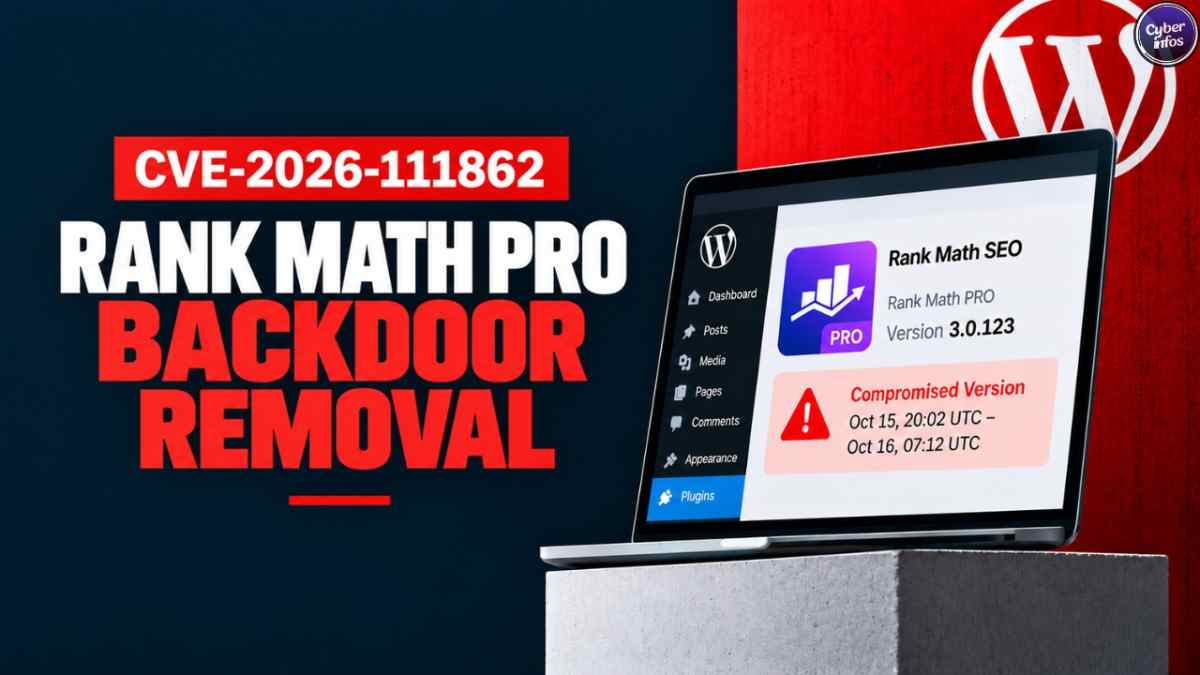
A trusted SEO update quietly backdoored thousands of websites. Between 20:02 UTC on October 15 and 07:12 UTC on October 16, 2026, packages of Rank Math PRO version 3.0.123 distributed through the vendor’s official website and automated update channels contained malware.
Rank Math’s official security notice confirmed it, and SecurityWeek and BleepingComputer reported on it. Wordfence tracks the incident as CVE-2026-111862 and rates it CVSS 9.8 Critical. An unknown attacker used the compromise to plant persistent PHP web shells, create shadow administrator accounts, and schedule cron jobs that automatically rebuild the backdoor whenever a visitor loads the site.
This is WordPress plugin malware delivered by the vendor’s own update pipeline, which is why a routine update became the infection route.
If your site downloaded or automatically updated Rank Math PRO during that 11-hour window, updating to clean version 3.0.124 does not solve the problem. The malware writes standalone backdoor files into other plugins, themes, and must-use directories. It also rewrites .htaccess so that hidden .cache files execute as PHP scripts.
Below you will find the confirmed timeline, the affected download window, the exact database keys and files to search for, and the fixed-order cleanup checklist needed to purge the infection and protect your credentials.
Quick Answer
CVE-2026-111862 is a critical supply-chain compromise (CVSS 9.8) affecting copies of the paid Rank Math PRO 3.0.123 plugin downloaded or auto-updated between October 15, 2026, 20:02 UTC and October 16, 2026, 07:12 UTC. The free Rank Math SEO plugin on WordPress.org (with 4+ million active installs) is not affected.
If your site activated an affected copy, treat the server and all stored secrets as compromised. Do not just update the plugin.
Instead, delete the rank-math-pro folder via FTP, remove three malicious keys from your wp_options table (_uf6qdn2hmm, t8krdk990phb, _np5pvf754c), delete rogue admin accounts and the fake core file wp-includes/class-wp-cache-util.php, block outgoing traffic to rank1cdn[.]com, and reset all database and API passwords before installing clean release 3.0.124.
What Happened
The Rank Math PRO supply chain attack surfaced late on October 16, 2026. WordPress security researchers and site owners noticed unexpected PHP files and new administrator accounts following a routine Rank Math PRO update, as detailed by BleepingComputer and Wordfence.
Rank Math, which operates as part of the European hosting group group.one, confirmed that its distribution infrastructure had been tampered with and pulled the tainted builds after roughly 11 hours of exposure.
Version numbers alone will not tell you whether you are infected. Rank Math’s official changelog shows that clean version 3.0.123 was released on October 7, 2026, more than a week before the incident. The malicious packages were substituted into the vendor’s update and download pipeline on October 15. That means only downloads and automated updates started during the 11-hour window received the backdoored code.
The attacker also prepared ahead of time. Domain registration records show that the command-and-control CDN domain, rank1cdn[.]com, was registered at 19:31 UTC on October 14, 2026, just 24 hours before the supply-chain poisoning began, according to The Hacker News.
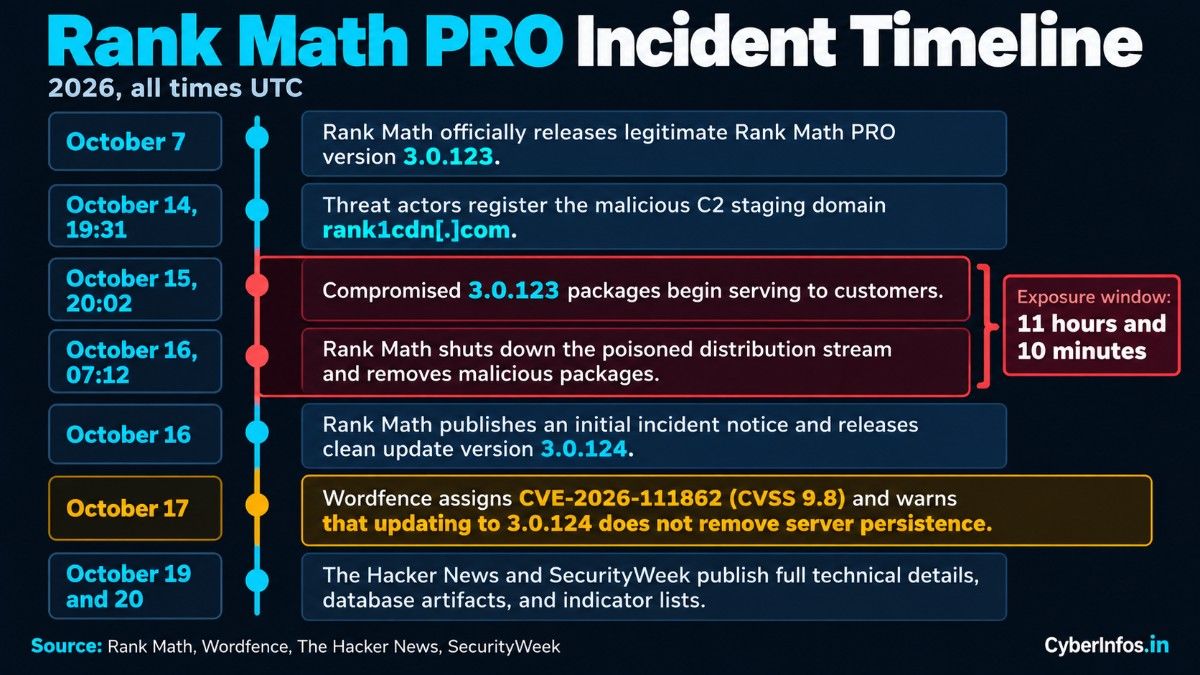
| Date & Time (UTC) | Event |
|---|---|
| October 7, 2026 | Rank Math officially releases legitimate Rank Math PRO version 3.0.123. |
| October 14, 19:31 | Threat actors register the malicious C2 staging domain rank1cdn[.]com. |
| October 15, 20:02 | Compromised 3.0.123 packages begin serving to customers downloading from rankmath.com or receiving auto-updates. |
| October 16, 07:12 | Rank Math shuts down the poisoned distribution stream, removes malicious packages, and closes the window after 11 hours and 10 minutes. |
| October 16 | Rank Math publishes an initial incident notice and releases clean update version 3.0.124. |
| October 17 | Wordfence assigns CVE-2026-111862 (CVSS 9.8) and publishes threat analysis warning that updating to 3.0.124 does not remove server persistence. |
| October 19 and 20 | Full technical details, database artifacts, and indicator lists are published by The Hacker News and SecurityWeek. |
Vulnerability Facts at a Glance
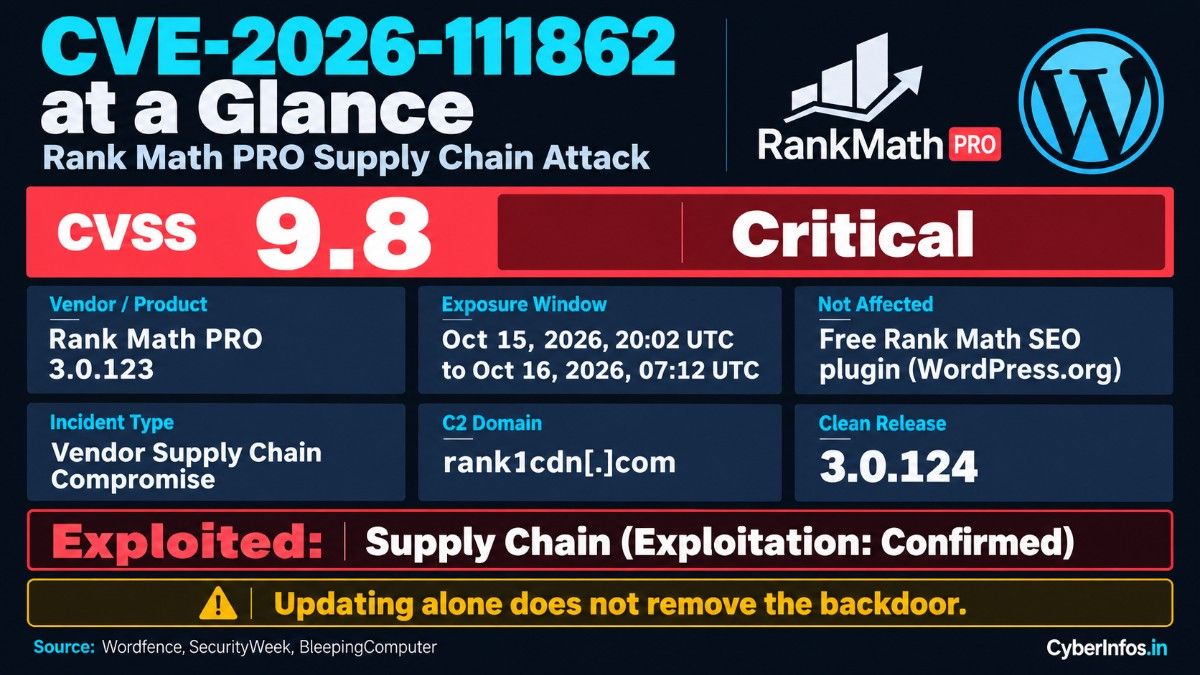
The table below compiles the verified metadata from Wordfence’s advisory, SecurityWeek, and BleepingComputer.
| Field | Information |
|---|---|
| CVE ID | CVE-2026-111862 |
| Affected Software | Rank Math PRO (Commercial WordPress plugin); free Rank Math SEO on WordPress.org is not affected |
| Incident Type | Vendor Supply Chain Compromise / Embedded Self-Restoring Backdoor |
| CVSS v3.1 / v4.0 | 9.8 Critical |
| Exposure Window | October 15, 2026, 20:02 UTC to October 16, 2026, 07:12 UTC (11 hours, 10 minutes) |
| Active Exploitation | Confirmed: all sites that installed and activated packages during the window were infected |
| C2 Domain | rank1cdn[.]com |
| Fixed Version | Rank Math PRO 3.0.124 (downloadable directly from user accounts at rankmath.com) |
Affected vs. Safe Sites
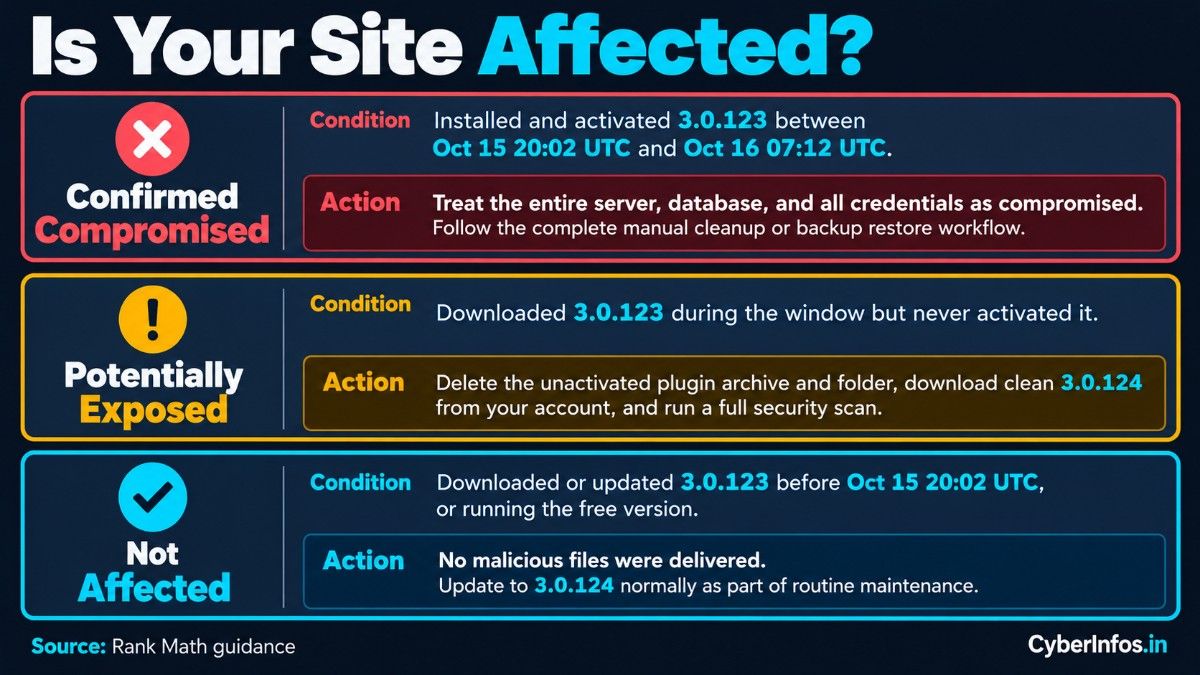
Clean copies of 3.0.123 existed both before and after the incident window, so your exposure depends on when you downloaded the plugin and whether you activated it. Rank Math’s guidance outlines three scenarios:
| Scenario | Exposure Level | Required Action |
|---|---|---|
| Installed and activated 3.0.123 between Oct 15 20:02 UTC and Oct 16 07:12 UTC | Confirmed Compromised | Treat the entire server, database, and all credentials as compromised. Follow the complete manual cleanup or backup restore workflow below. |
| Downloaded 3.0.123 during the window but never activated it | Potentially Exposed | Delete the unactivated plugin archive and folder via FTP/file manager, download clean 3.0.124 from your account, and run a full security scan. |
| Downloaded or updated 3.0.123 prior to Oct 15 20:02 UTC, or running free version | Not Affected | No malicious files were delivered. Update to 3.0.124 normally as part of routine maintenance. |
How the Attack Chain Works
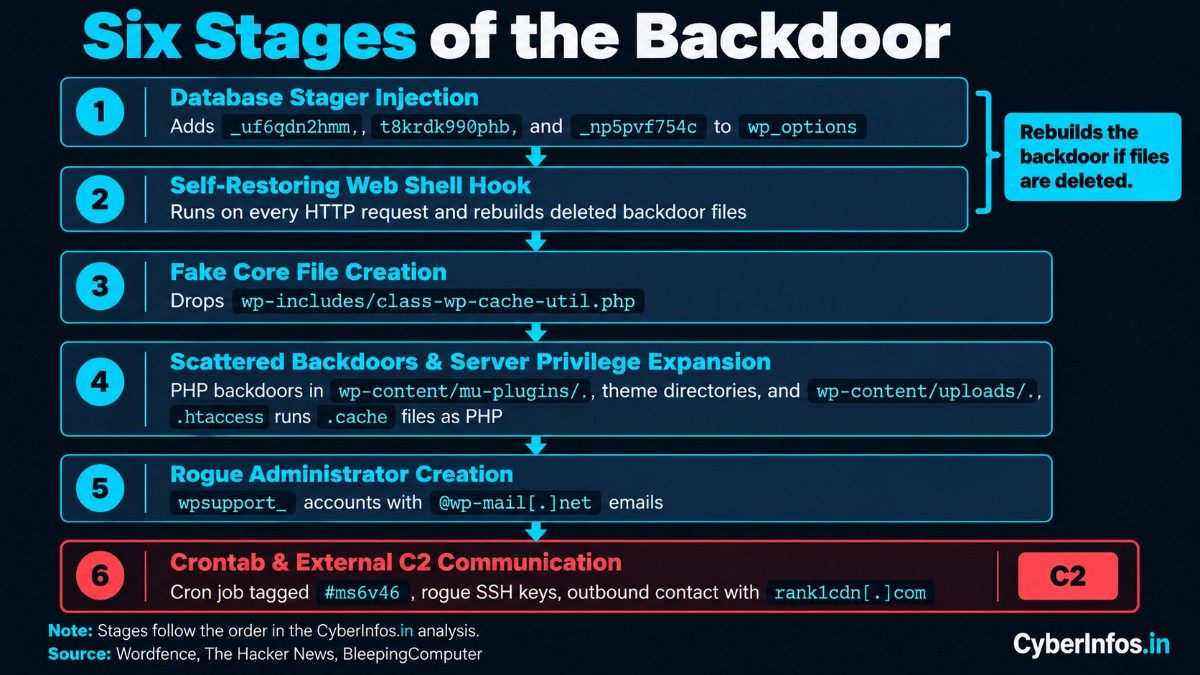
The backdoor was built for stealth, persistence, and self-healing. Once the poisoned plugin was activated, it ran a multi-stage infection routine. Anyone studying this WordPress plugin malware should note how each stage protects the others.
- Database Stager Injection: The malware inserts three obfuscated entries into the WordPress wp_options table:
_uf6qdn2hmm,t8krdk990phb, and_np5pvf754c. These rows hold encoded PHP payload instructions, and they survive file-level plugin updates. - Self-Restoring Web Shell Hook: Whenever an HTTP request hits the WordPress site, the stager runs and checks whether its backdoor files are intact. If an administrator deletes the malicious PHP scripts without clearing the wp_options records, the code re-downloads or reconstructs the backdoor immediately.
- Fake Core File Creation: The script drops a malicious PHP file disguised as an authentic WordPress core utility at wp-includes/class-wp-cache-util.php. Standard WordPress core contains similar cache utility classes, so casual file reviews often overlook it.
- Scattered Backdoors & Server Privilege Expansion: The stager scatters PHP backdoors across wp-content/mu-plugins/, active theme directories (specifically inside inc/, includes/, and lib/), and wp-content/uploads/. It also alters the site’s .htaccess file so that arbitrary .cache files are parsed and executed by Apache or Nginx as live PHP scripts.
- Rogue Administrator Creation: The malware creates persistent WordPress administrator accounts with usernames beginning with
wpsupport_and email addresses ending in @wp-mail[.]net. - Crontab & External C2 Communication: The payload installs a scheduled cron job tagged #ms6v46 in the web server user’s Linux crontab and adds rogue SSH keys to ~/.ssh/authorized_keys. It then starts outbound communication with rank1cdn[.]com to receive arbitrary administrative commands.
Why Updating to 3.0.124 Is Not Enough
Many site owners assume that clicking “Update” inside the WordPress dashboard resolves a plugin problem. Not here. Installing Rank Math PRO 3.0.124 on its own leaves the backdoor active, which is why Rank Math backdoor removal has to go well beyond the plugin folder. Four persistence mechanisms remain behind:
- The database payload stays alive: The malicious wp_options keys (
_uf6qdn2hmm,t8krdk990phb,_np5pvf754c) remain in your MySQL database and keep triggering on page requests. - Scattered backdoor files are untouched: The update only replaces files within wp-content/plugins/seo-by-rank-math-pro/. It does not touch files written to wp-includes/class-wp-cache-util.php, wp-content/mu-plugins/, or theme folders.
- Rogue administrator accounts remain active: Any
wpsupport_user created during the infection keeps full administrative control over your dashboard. - Server crontabs and SSH keys persist: The #ms6v46 crontab entry continues to run independently of WordPress.
Indicators of Compromise (IOCs) to Hunt For
Security teams and WordPress administrators should inspect their databases and file systems right away for the following artifacts reported by The Hacker News and BleepingComputer:
| Artifact Type | Indicator / Value | Description |
|---|---|---|
| C2 Domain | rank1cdn[.]com | Malicious CDN and payload delivery domain (block on firewalls and hosts). |
| Database Keys (wp_options) | _uf6qdn2hmm, t8krdk990phb, _np5pvf754c |
Malicious options storing serialized backdoor stagers. |
| Fake Core File | wp-includes/class-wp-cache-util.php | Rogue backdoor file disguised as WordPress core code. |
| Admin Usernames | Prefix wpsupport_ |
Unauthorized administrator accounts created by the stager. |
| Admin Email Domain | @wp-mail[.]net | Domain used for attacker-controlled administrator email addresses. |
| Crontab Marker | #ms6v46 | Malicious comment tag in the web server user’s Linux crontab. |
| Code Signatures | Key xmmqhn, proc_open, PHP-FPM socket abuse | Obfuscated PHP with base64_decode and XOR loops targeting socket execution. |
| File Rewrite | .htaccess rules executing .cache as PHP | Directives allowing hidden .cache files to run as executable scripts. |
Emergency Incident Response & Cleanup Checklist
If your site was active during the compromise window, follow this strict, ordered remediation process based on Wordfence’s recovery recommendations.
Option A: Clean Restore from Backup (Recommended)
If you have a complete file system and database backup taken before October 15, 2026, 20:02 UTC, restoring it is the safest route. Restore the backup, run a full security scan, and rotate all passwords and API keys. Then install clean version 3.0.124 manually, straight from your Rank Math account.
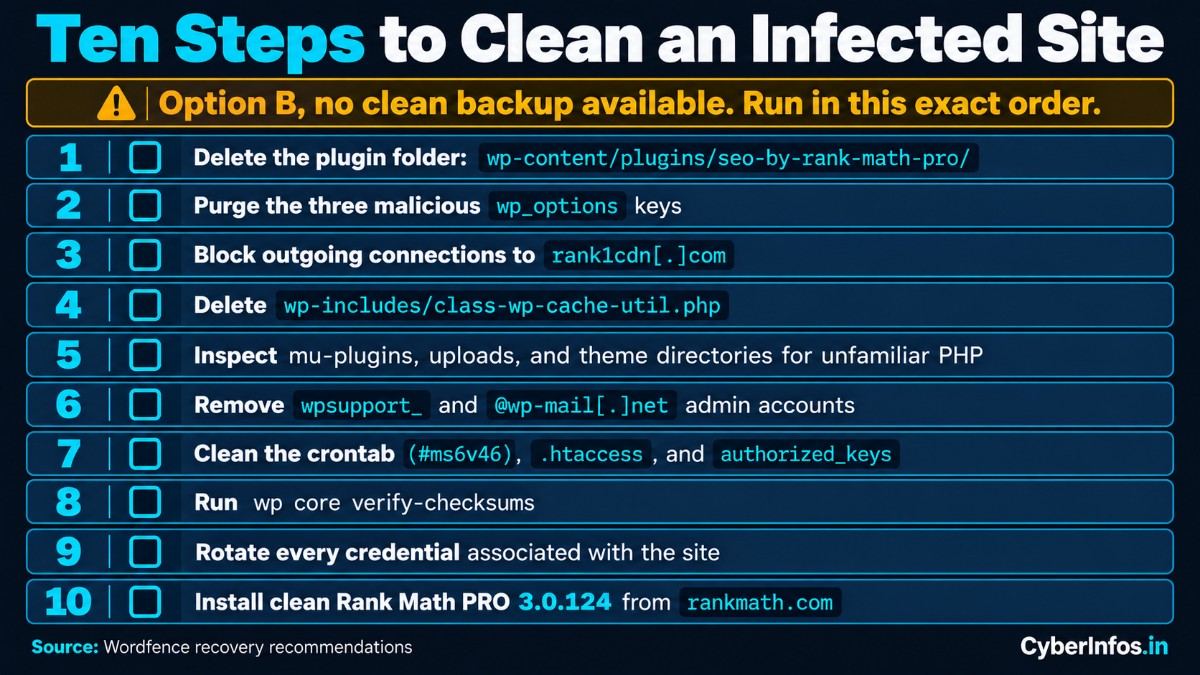
Option B: Step-by-Step Manual Disinfection
If no clean backup is available, you must run the cleanup in this exact sequence. The order matters because the backdoor will rebuild itself if you remove its pieces in the wrong order.
- Delete the plugin folder via FTP or File Manager: Completely remove the directory wp-content/plugins/seo-by-rank-math-pro/. Deactivating the plugin from the WordPress admin dashboard is not sufficient.
- Purge malicious database keys: Run the following SQL query in phpMyAdmin or the MySQL CLI to remove the self-restoring stagers:
DELETE FROM wp_options WHERE option_name IN ('_uf6qdn2hmm', 't8krdk990phb', '_np5pvf754c');(Note: Replace wp_ with your custom database table prefix if applicable.)
- Block outgoing connections to the C2: Add a firewall rule or server-level hosts block that prevents any outbound requests to rank1cdn[.]com.
- Delete the fake core file: Check wp-includes/ and immediately delete wp-includes/class-wp-cache-util.php.
- Inspect must-use plugins and uploads: Review wp-content/mu-plugins/ and delete any unfamiliar PHP files. Then scan wp-content/uploads/ and theme directories (inc/, includes/, lib/) for suspicious PHP scripts.
- Remove rogue administrator accounts: Review WordPress Users. Delete any accounts starting with
wpsupport_or using @wp-mail[.]net emails, and reassign any attributed posts to your verified admin account. - Clean server crontabs and .htaccess: Inspect your web user’s crontab (crontab -l) and delete any lines containing #ms6v46. Open .htaccess and remove any custom AddType or SetHandler rules that map .cache extensions to PHP. Check ~/.ssh/authorized_keys for unauthorized SSH keys.
- Verify core file checksums: Run the WP-CLI command wp core verify-checksums to confirm no legitimate WordPress files were altered.
- Rotate every credential associated with the site: The backdoor gave full root/PHP environment read access, so assume all stored secrets were exfiltrated. Rotate your wp-config.php database password, WordPress authentication salts, administrator passwords, SMTP credentials, payment gateway API keys, FTP/SSH passwords, and hosting control panel logins.
- Install clean Rank Math PRO 3.0.124: Log in directly to rankmath.com, download a fresh copy of version 3.0.124, and install it. Never click update links from unsolicited emails.
What Indian Organizations & Web Masters Should Know
CERT-In’s directions, issued under Section 70B(6) of the Information Technology Act, require mandatory 6-hour incident reporting for cyber incidents involving unauthorized access to IT systems, web defacements, and malicious code attacks.
If your business, agency, or media portal in India runs WordPress with commercial plugins, rogue admin accounts or active C2 beaconing to rank1cdn[.]com count as a confirmed security incident.
If your site handles customer data or transactional logins, preserve your forensic logs and report the incident in line with CERT-In requirements. This guidance supports operational readiness and does not constitute formal legal advice.
CyberInfos Analyst Insight
This incident reinforces three realities for WordPress administrators and enterprise SOC teams:
- Vendor-managed update channels are an expanding attack vector: This is the third major supply-chain compromise of a commercial WordPress plugin this year, following similar poisoning incidents in Nextend’s Smart Slider 3 Pro in April and ShapedPlugin in June. Premium plugins distribute updates outside WordPress.org’s centralized security screening, so attackers see vendor update servers as high-yield single points of failure.
- Self-rebuilding malware defeats superficial file cleanup: The threat actors stored payload logic inside wp_options and hooked into early WordPress loading routines, so ordinary file deletion failed. Modern website defense needs database-aware incident response, not just static file scanning.
- Assume total credential exposure after a file-write compromise: In shared hosting and standard LAMP environments, PHP execution privileges equal access to wp-config.php. Once arbitrary file execution occurs, database passwords, salts, and connected API tokens must be treated as compromised.
FAQ
What is CVE-2026-111862?
CVE-2026-111862 is a critical supply-chain vulnerability (CVSS 9.8) caused by the injection of a self-restoring backdoor into official packages of Rank Math PRO version 3.0.123 between October 15 and October 16, 2026.
Is the free Rank Math SEO plugin affected?
No. The free Rank Math SEO plugin hosted on the official WordPress.org repository was not compromised. The incident affected only the commercial PRO add-on distributed through rankmath.com during the 11-hour window.
How can I tell if my WordPress site is infected?
Check your WordPress wp_options table for keys named _uf6qdn2hmm, t8krdk990phb, or _np5pvf754c. Look for the file wp-includes/class-wp-cache-util.php, and check your user list for administrator accounts with usernames beginning with wpsupport_.
Does updating to Rank Math PRO 3.0.124 clean an infected site?
No. The 3.0.124 update replaces the plugin files but does not delete the database stagers, rogue admin users, fake core files, or crontab persistence the malware created. You must follow the manual disinfection checklist or restore from a pre-compromise backup.
What domain should I block on my web application firewall?
Block all outbound and inbound HTTP/HTTPS traffic to rank1cdn[.]com across your server firewalls and hosting network rules.
Final Thoughts
Supply chain attacks succeed because they abuse trust. Rank Math acted promptly by shutting down the poisoned pipeline within 11 hours, but the burden of remediation now rests on website administrators. CVE-2026-111862 is a reminder that a vendor-signed update is not automatically a safe one.
If you activated Rank Math PRO 3.0.123 on October 15 or 16, do not assume a one-click update keeps you safe. Follow the manual cleanup steps, purge the malicious wp_options keys, and rotate your credentials today.
Stay ahead of emerging threats: Follow CyberInfos.in on LinkedIn, X (Twitter), and our WhatsApp Channel for verified threat advisories, breaking vulnerability analyses, and practical website security guides.
