

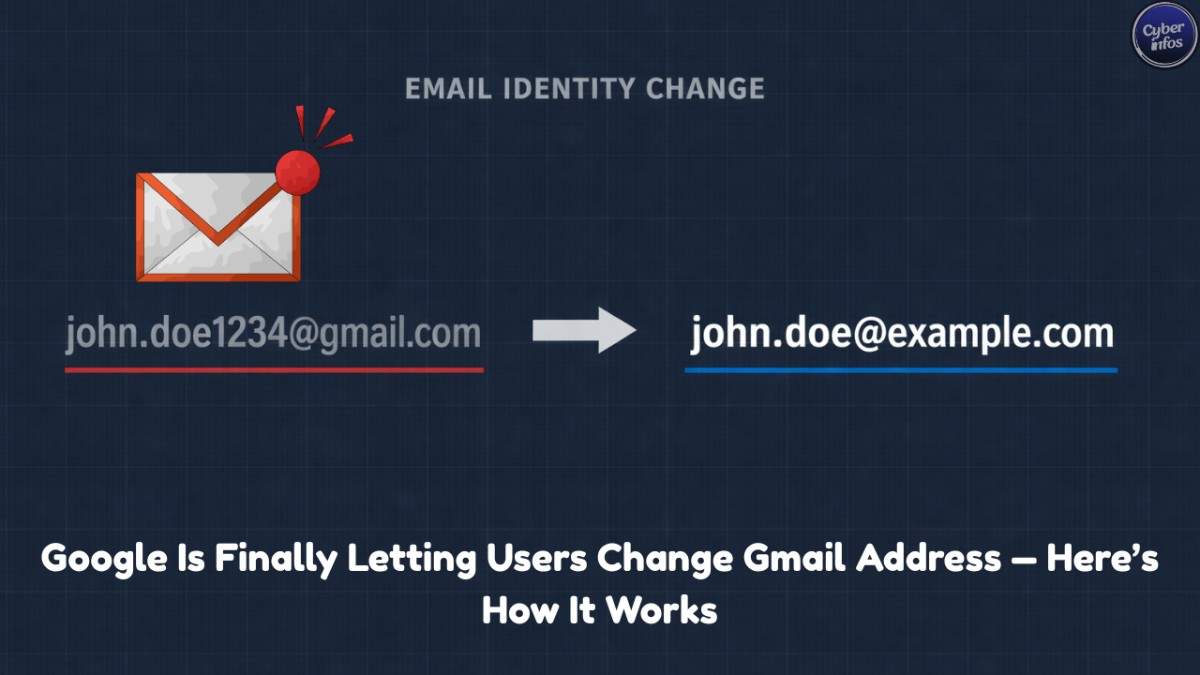
A few weeks ago, a startup founder shared a familiar frustration on LinkedIn. Everything about his profile looked polished-experience, credentials, recommendations. Then came the contact line: partyboy2008@gmail.com
Now, change Gmail address. It was a harmless choice made years ago, but now it sat awkwardly on investor emails and client decks. Until recently, there was nothing he could do about it-short of abandoning his Google account entirely or attempting an impossible Gmail address change. That long-standing Gmail rule may finally be breaking.
New evidence from an official Google support document suggests that Google is rolling out the ability to change a primary @gmail.com address, something users have been requesting for nearly 20 years.
This is not just a convenience feature. It represents a fundamental shift in how digital identity is handled on the internet.
Why Gmail addresses were “permanent” in the first place (plain English)
When Gmail launched in 2004, email addresses weren’t seen as personal brands. They were closer to phone numbers—pick one, keep it forever. The idea that users might someday want to update a Gmail address simply wasn’t part of the original design.
Behind the scenes, Gmail addresses became deeply embedded into Google’s systems:
- Your Gmail address is your login ID for YouTube, Drive, Maps, Photos, Play Store, and thousands of apps
- Spam protection relies heavily on long-term reputation signals
- Account trust is built over years of consistent behavior
In simple terms:
Changing an email address wasn’t just renaming a mailbox it meant rewiring your entire digital identity.
That design worked well for security, but it aged badly for people who now want to change their Gmail email address without starting over.
The real-world cost of Gmail’s permanence
What once felt harmless now creates real friction:
- Teen usernames surface in job applications and legal documents
- Professionals cannot rebrand without losing years of data
- Abandoned Gmail names are never recycled
- Google Takeout exports data but doesn’t meaningfully help you move it elsewhere
Unlike social platforms where usernames evolve with you, Gmail treated addresses as a permanent digital fingerprint, making a Gmail address change effectively impossible.
The quiet change: what Google is now allowing
Multiple reports confirm the existence of an official Google support page describing a new feature that allows users to change their Gmail address:
Users can change their Google Account email address even if it ends in
@gmail.com.
Important details:
- The page is currently only visible in Hindi
- The feature is described as “gradually rolling out”
- Testing appears to be India-first
- This is official documentation—not a leak or rumor
In other words: Google is testing carefully, not announcing loudly.
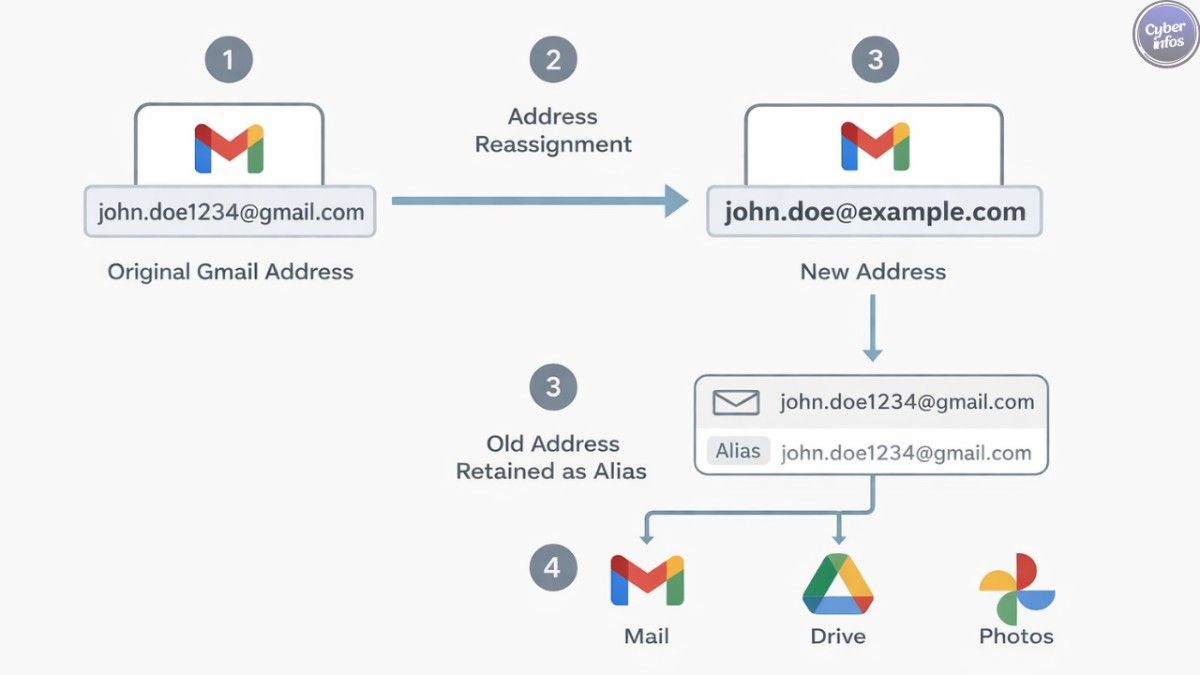
How Gmail address changes will work
If your account gets access, you’ll be able to change your @gmail.com address while keeping everything else intact:
- Choose a new
@gmail.comusername - Keep your old address as an alias
- Receive emails sent to both addresses
- Sign in using either address
- Keep all existing data (emails, Drive files, Photos, YouTube history)
Think of it like changing your name while keeping your old nickname active.
Limits Google is imposing (and why they exist)
This is flexibility-not chaos.
Google is enforcing guardrails on how often you can update a Gmail address:
- You can change your Gmail address up to 3 times
- After changing:
- You can’t delete the new address
- You can’t create another new Gmail address for 12 months
- Your old address:
- Always stays yours
- Can never be reused by someone else
- May still appear in older records (Calendar invites, archives)
These limits exist to protect spam detection and trust systems, not to inconvenience users.
Why Google resisted this for nearly 20 years
This wasn’t stubbornness-it was risk management.
Allowing unrestricted Gmail address changes would have made it easier to:
- Reset spam reputations
- Evade abuse tracking
- Launder digital identities
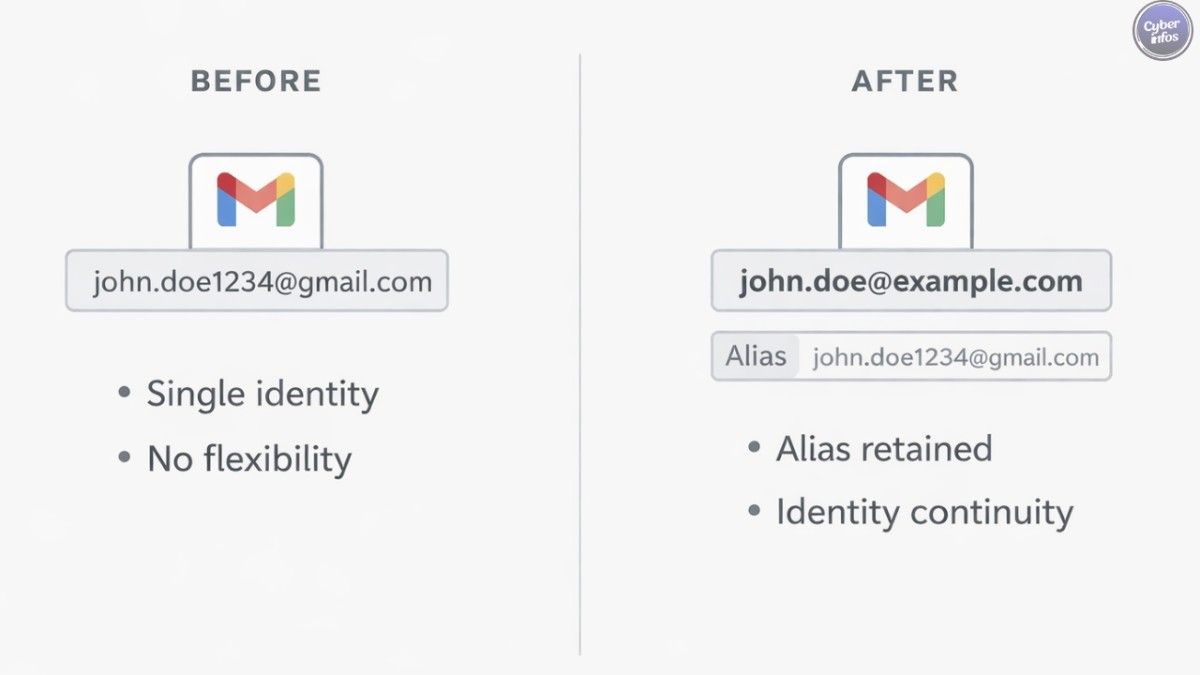
By keeping the old address as a permanent alias, Google preserves account history and trust, while finally letting users change their Gmail email address safely.
How Gmail compares to other providers
| Provider | Can change primary address? | Aliases |
|---|---|---|
| Gmail | Rolling out (limited) | Yes |
| Outlook | Yes | Yes |
| Proton Mail | Yes | Unlimited |
| iCloud Mail | No | Yes (Hide My Email) |
Google was the last major provider still enforcing permanent primary addresses.
Security tips while you wait (practical and useful)
- Use aliases strategically
Dots and plus addressing can help segment work, signups, and newsletters. - Separate critical accounts
Banking and admin access should use the most stable, professional identity possible. - Audit login dependencies
Make a list of services tied to your Gmail address before attempting any Gmail address change. - Enable 2-step verification
Identity changes increase account sensitivity-extra protection matters. - Watch for phishing after changes
Address transitions are prime moments for impersonation attempts.
What this means for digital identity going forward
Email is no longer just communication-it’s identity infrastructure.
According to Google, Gmail now serves over 1.8 billion active users worldwide, making the ability to change a Gmail address a global issue, not a niche complaint.
This update signals that even the largest platforms are recognizing that people change—and systems must adapt.
Actionable advice
If you want to be ready to change your @gmail.com address:
- Clean up your inbox and Drive
- Document where your Gmail address is used
- Start presenting a professional alias publicly
- Monitor Google Account → Personal Information → Email for rollout access
When the option appears, you’ll want to move deliberately-not impulsively.
FAQ
1. Can I change my Gmail address right now?
Only if your account is included in the gradual rollout. Many users cannot yet.
2. Will I lose emails or Drive files?
No. All data remains intact.
3. Will my old Gmail address stop working?
No. It becomes a permanent alias.
4. Can someone else take my old username?
No. It remains reserved for your account forever.
5. Is this safe from a security standpoint?
Yes. The alias-based model preserves reputation and abuse controls.
Final thought
This may look like a small setting change-but it quietly ends one of the internet’s longest-running identity frustrations. After 20 years, Gmail is finally acknowledging something users have always known:
Your past choices shouldn’t permanently define your digital future.
