


A funny thing has happened in cybersecurity over the last decade: the battlefield has shifted. Once upon a time, email was enemy number one. Firewalls and antivirus were the front-line defenses. But as businesses moved their lives into SaaS platforms and cloud apps, the browser quietly became the new frontline — and attackers know it.
If your employees are in Salesforce, Slack, Jira, Google Workspace, or any of the hundreds of other web apps businesses depend on, then the browser is where the action is. And it’s also where attackers are landing their punches.
So, what exactly is a “browser-based attack,” and why are they such a problem? Let’s dig in — and then break down six of the nastiest techniques that security teams should have on their radar right now.
What Do We Mean by Browser-Based Attack?
Here’s the thing: most attackers don’t actually care about your browser. They care about the apps and data sitting behind it. The browser just happens to be the doorway.
Think about it. Your company doesn’t run on Outlook and Word files anymore. It runs on SaaS: CRMs, HR platforms, file-sharing tools, project trackers. All of those live in the browser. And attackers know the easiest way to get in isn’t brute-forcing the service itself — it’s tricking, luring, or hijacking one of your users.
The last few years have proven how costly this can be. The Snowflake breaches, Salesforce compromises — these weren’t about “hacking Chrome.” They were about tricking users in the browser and then walking off with the keys to the kingdom.
Why Attackers Love the Browser
Three big reasons:
- Work is decentralized. No more neatly fenced-in corporate network. Everyone’s logging in from home offices, coffee shops, airports.
- So many channels to reach people. Attackers aren’t stuck with email anymore. They send links through Slack, LinkedIn, SMS, even ads.
- Traditional tools miss the signs. Endpoint protection and firewalls rarely see what’s going on inside the browser. It’s a blind spot.
That combination makes the browser a perfect hunting ground.
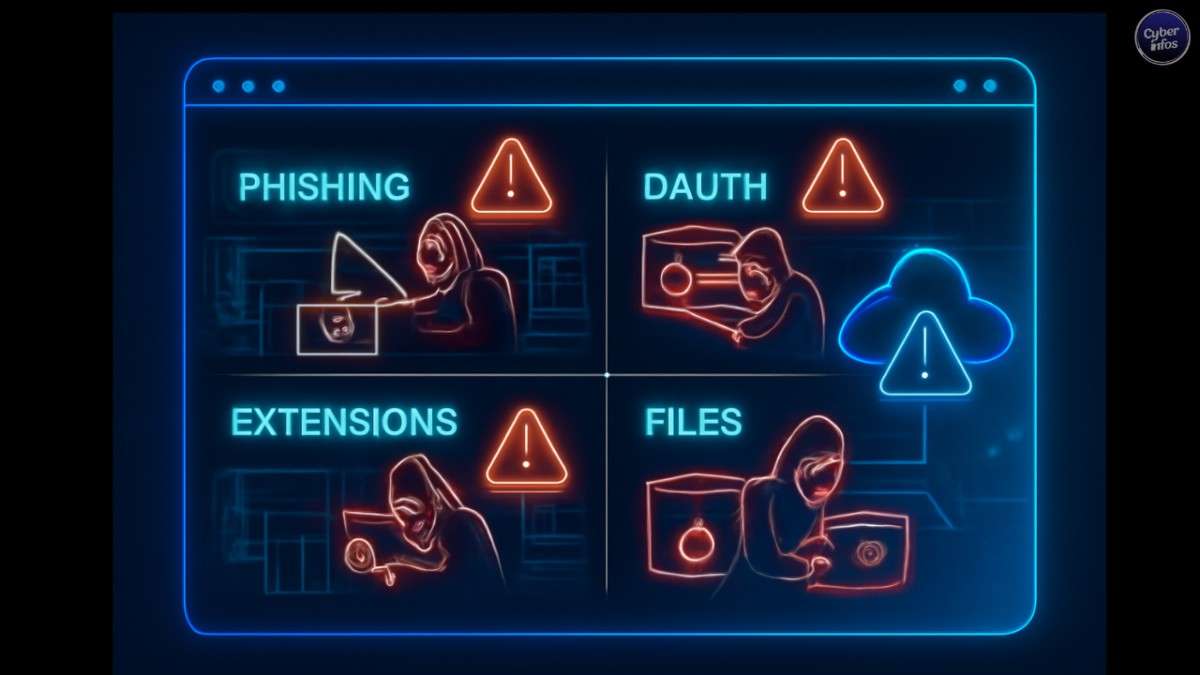
The Six Browser-Based Attacks You Should Be Losing Sleep Over
Here’s what’s dominating the landscape right now.
1. Phishing for Credentials (and Sessions)
Phishing isn’t new. What’s new is how sophisticated it’s become. Attackers are running industrialized operations with full Adversary-in-the-Middle (AiTM) kits that can steal session cookies and even bypass MFA.
They’re clever too: obfuscating code, hiding behind legit services like Cloudflare Turnstile, and spinning up phishing pages hosted right inside SaaS platforms to evade filters.
And delivery? It’s everywhere. Messages in Teams, LinkedIn DMs, fake support tickets, SMS blasts — not just email anymore.
The bottom line: phishing has evolved, but its endgame is the same — steal the login, steal the session, steal the data.
2. Malicious Copy & Paste (ClickFix, FileFix, etc.)
This one still blows my mind. Called “ClickFix” or “Fake CAPTCHA,” it tricks users into thinking they’re solving a security check. In reality, they’re copying malicious commands and pasting them straight into their own terminal or Run dialog.
It’s social engineering at its finest. A tiny slip of judgment, and suddenly malware is on the machine, cookies are stolen, and attackers are in your SaaS apps.
And it’s not just Windows. Recent variants have targeted Mac users too, via the terminal.
The scary part? These pages look like everyday errors or CAPTCHAs, so spotting them isn’t easy.
3. Malicious OAuth Integrations
OAuth was supposed to make things easier and safer — no endless password prompts, just click “Authorize” and move on. Attackers love it for the same reason.
They set up malicious apps and trick users into granting access. Once approved, they don’t even need your password or MFA. They’ve got a golden ticket.
The ongoing Salesforce breaches are a perfect example. Victims were asked to enter an 8-digit device code, and by doing so, they basically handed over the keys to their tenant.
Here’s the kicker: most enterprises have hundreds of SaaS apps floating around, many unmanaged or invisible to IT. Keeping track of OAuth permissions across all of them? A nightmare.
4. Malicious Browser Extensions
If phishing is the oldest trick in the book, malicious extensions are the “quiet assassin.” Install one bad extension, or worse, a legit one that gets hijacked, and attackers can see everything: saved credentials, session cookies, live logins.
It’s easier than you’d think. Extensions are cheap to buy, easy to modify, and updates slip past security checks all the time.
Remember the Cyberhaven extension hack in December 2024? That one compromise spread across dozens of extensions with millions of installs. It’s a perfect reminder: unless you tightly control what employees can install, you’re rolling the dice.
5. Malicious File Delivery
Sure, everyone knows not to open shady .exe attachments. But attackers are crafty. They now deliver malicious payloads via HTML Applications (HTAs), weaponized SVG files, or other seemingly harmless downloads.
These files don’t always drop malware directly. Some act as mini phishing portals, spawning fake login pages right on the user’s machine. Others redirect to more malicious content.
Worse, many are designed to outsmart sandboxes by detecting when they’re being analyzed. By the time you realize something’s wrong, it’s too late.
6. Stolen Credentials and MFA Gaps
Finally, the “old but gold” method: stolen credentials. Even with MFA, gaps remain. Plenty of apps don’t have MFA enforced, or they allow “ghost logins” outside of SSO.
Attackers know this. Look at Snowflake and Jira compromises — they weren’t exotic zero-days. They were simple, large-scale exploitation of stolen credentials and weak MFA coverage.
The browser is the best place to actually see how employees are logging in and whether MFA is truly applied. Without that visibility, you’re guessing.
Why the Browser Needs to Be Your New Security Perimeter
Here’s the hard truth: the browser isn’t just another app. It is the perimeter now. If you’re not watching it, you’re leaving the door wide open.
That means security teams need more than just endpoint agents and email filters. They need browser-native defenses — tools that can:
- Spot and block MFA-bypassing phishing attempts.
- Control risky OAuth integrations.
- Monitor extensions and downloads.
- Expose ghost logins, weak MFA, and vulnerable credentials.
In other words, turn the browser from a blind spot into a control point.
Final thoughts
The attacks we’re seeing today are a direct response to how we work now. SaaS everywhere. Remote teams. Decentralized networks. And the one constant? The browser.
Attackers have realized this faster than defenders. But if security teams shift their focus, the browser can go from being a weakness to being one of the strongest vantage points we have.
Because at the end of the day, defending your business in 2025 starts where your employees live and work every day: in the browser.
