

Google has pushed Chrome 155 to the Stable channel with fixes for 247 security issues, four of them rated critical. The Chrome 155 vulnerabilities span memory-safety and access-control defects, and Google’s advisory does not mention exploitation in the wild for any of them. They are not zero-days. Still, four critical and 53 high-severity fixes in one build justify a faster patch cycle than a routine browser update.
This guide walks through the four critical use-after-free bugs, the fixed versions and the rollout status. It also shows how to confirm your endpoints are really patched, and looks at what the AI-assisted discovery credits in Google’s advisory suggest.
Quick Answer
Chrome 155 fixes 247 security bugs, including four critical use-after-free flaws: CVE-2026-106382, CVE-2026-106197, CVE-2026-106358 and CVE-2026-106347. Update to 155.0.8059.39 or later (155.0.8059.39/.40 on Windows and macOS), then relaunch the browser. Google’s advisory, published on 6 October 2026, reports no exploitation in the wild.
What Google fixed in this release
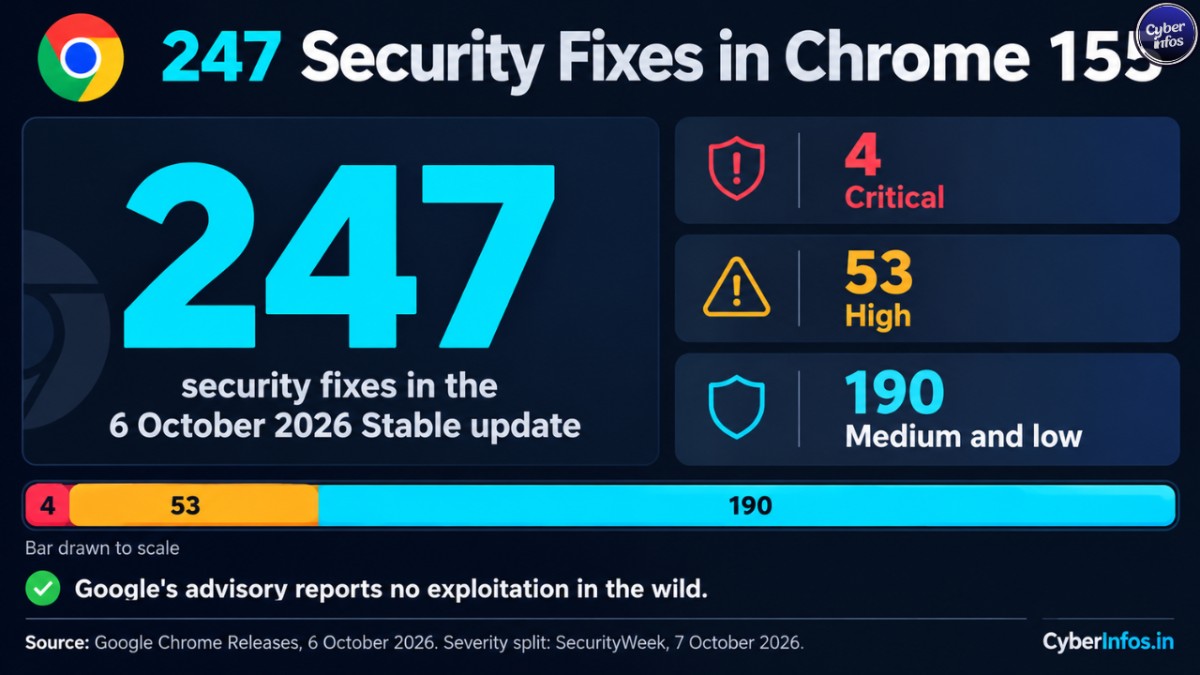
Google’s Chrome Releases post, dated 6 October 2026, lists 247 security fixes. SecurityWeek covered the release the next day and broke the total down by severity. Google’s own team found most of the medium- and low-severity items.
| Severity | Fixes |
|---|---|
| Critical | 4 |
| High | 53 |
| Medium and low | 190 |
| Total | 247 |
Searches for Chrome 247 vulnerabilities usually lead to this release. The number counts security fixes. It is not a browser version.
SecurityWeek also reports that external researchers submitted 62 of the fixed bugs. At the time of reporting, Google had paid roughly $33,000 in rewards, and it had not disclosed the amounts for almost 50 of those submissions.
SecurityWeek’s tally of the most common bug types is below.
| Bug type | Count |
|---|---|
| Incorrect authorization | 41 |
| Use after free | 34 |
| Missing authorization | 34 |
| UI misrepresentation | 20 |
| Information leak | 17 |
| Uninitialized resource | 16 |
| Confused deputy | 9 |
| Improper input validation | 9 |
CyberInfos observation: incorrect and missing authorization bugs together outnumber use-after-free bugs in this list. Browser risk is not only about memory corruption.
The four critical Chrome 155 vulnerabilities
A use-after-free (UAF) bug happens when software keeps using memory it has already released. If an attacker can control what lands in that memory, the result can range from a crash to code execution. MITRE tracks the weakness class as CWE-416.
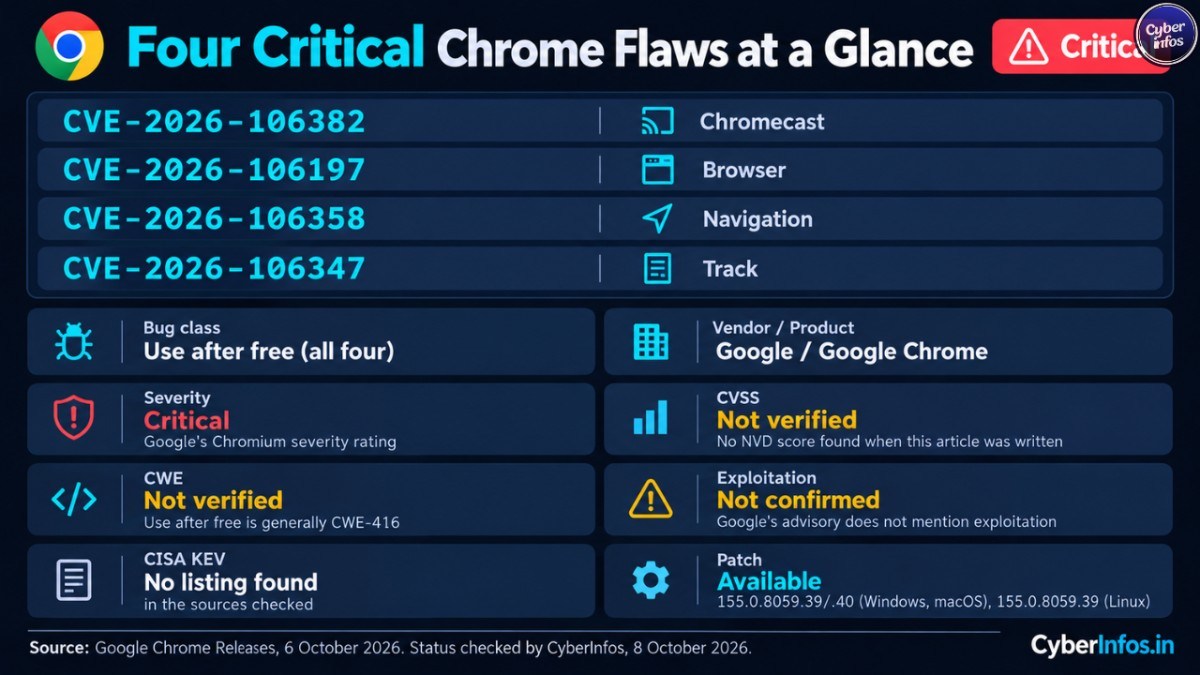
All four critical bugs are UAF flaws. Google’s advisory lists them like this.
| CVE | Component | Reported by (per Google) | Report date | Reward listed |
|---|---|---|---|---|
| CVE-2026-106382 | Chromecast | 15 July 2026 | N/A | |
| CVE-2026-106197 | Browser | Xinyang Ge | 11 September 2026 | TBD |
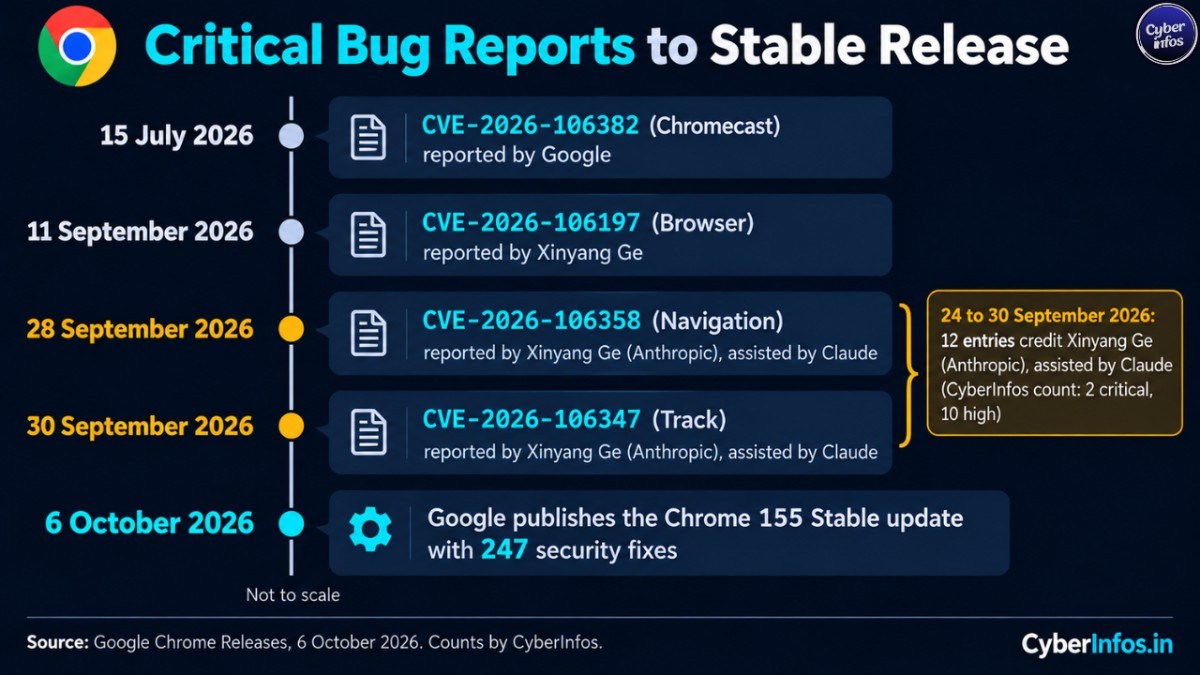
| CVE-2026-106358 | Navigation | Xinyang Ge (Anthropic), assisted by Claude | 28 September 2026 | TBD |
| CVE-2026-106347 | Track | Xinyang Ge (Anthropic), assisted by Claude | 30 September 2026 | N/A |
Here is where the four records stand at the time of writing.
| Field | Information |
|---|---|
| CVE | CVE-2026-106382, CVE-2026-106197, CVE-2026-106358, CVE-2026-106347 |
| Product | Google Chrome |
| Vendor | |
| Severity | Critical (Google’s Chromium severity rating) |
| CVSS | Not verified. No NVD score was found when this article was written |
| CWE | Not verified for these records. Use after free is generally CWE-416 |
| Exploited | Not confirmed. Google’s advisory does not mention exploitation |
| CISA KEV | No listing found in the sources checked |
| Patch | Available: 155.0.8059.39/.40 (Windows, macOS), 155.0.8059.39 (Linux) |
Google holds back bug details until most users have updated. The post names the CVE, component, bug type and reporter. It does not say what an attacker would need or what the impact would be, so CyberInfos does not speculate about exploit conditions. The severity rating is the best guide available.
Nothing in Google’s notes describes any of the four Chrome critical CVEs as exploited. That is why this guide treats them as high-priority patching, not as an emergency response to an active campaign.
Don’t ignore the high-severity group either. Google’s list includes use-after-free flaws in V8, WebRTC, PDF and Media, among other components.
Affected versions and rollout status
Google’s post lists the fixed builds for the Chrome 155 security update but gives no affected-version range. The practical rule: treat any desktop Stable build older than the numbers below as unpatched.
| Platform | Fixed version |
|---|---|
| Windows | 155.0.8059.39 or 155.0.8059.40 |
| macOS | 155.0.8059.39 or 155.0.8059.40 |
| Linux | 155.0.8059.39 |
Google says the build is rolling out gradually, over days to weeks. That staging matters: a manual update check may not offer the new build to every machine right away. A Google Chrome security patch can reach some endpoints days after others, so verify each one rather than assuming.
Mobile and other browsers need separate checks:
- Chrome for Android and iOS: Google publishes these updates as separate posts on the Chrome Releases blog.
- Chromium-based browsers: Edge, Brave, Opera and Vivaldi ship their own builds. Google’s post does not say which are affected, so read each vendor’s release notes.
How to verify the Chrome 155 security update
Prerequisites: admin access to your endpoint-management console, an inventory of installed Chrome versions, and a window for browser relaunches.
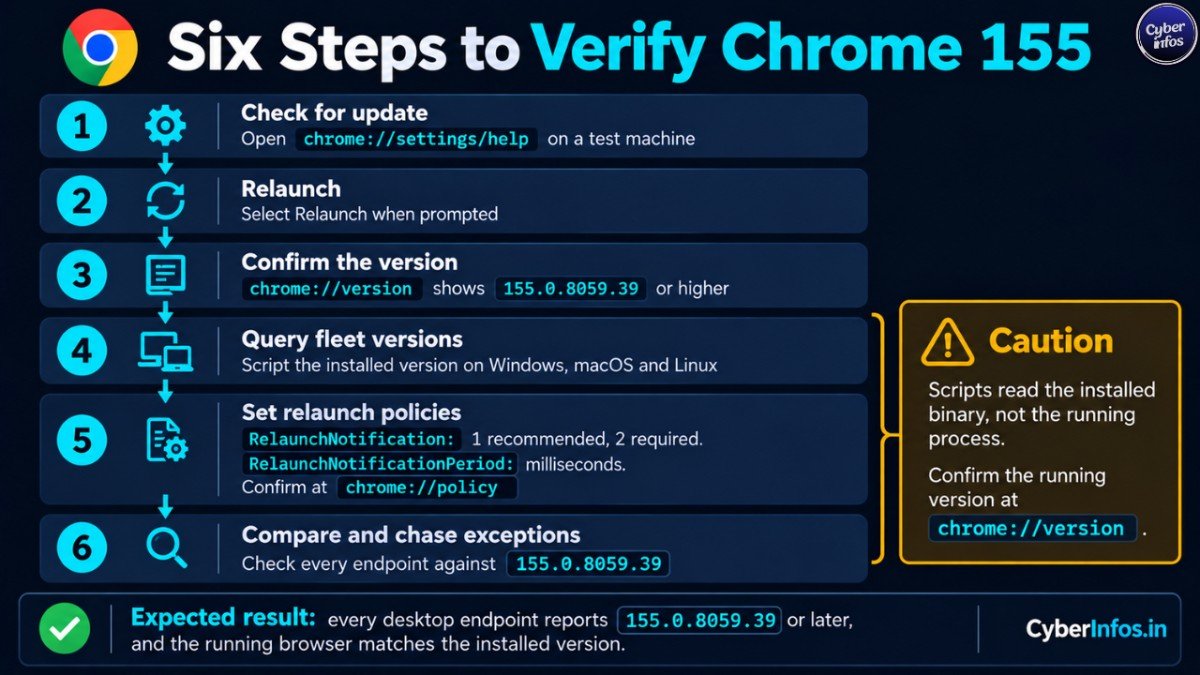
- On a test machine, open
chrome://settings/help. Chrome checks for the update and downloads it. - Select Relaunch when prompted.
- Open
chrome://versionand confirm the version is 155.0.8059.39 or higher. - For fleets, query the installed version with a script:
- Windows (PowerShell):
(Get-Item "$env:ProgramFiles\Google\Chrome\Application\chrome.exe").VersionInfo.ProductVersion - macOS:
/Applications/Google\ Chrome.app/Contents/MacOS/Google\ Chrome --version - Linux:
google-chrome --version
- Windows (PowerShell):
- Set the relaunch policies described in Google’s Chrome Enterprise Help.
RelaunchNotificationaccepts 1 (relaunch recommended) or 2 (relaunch required).RelaunchNotificationPeriodsets the notification window in milliseconds; 86,400,000 is one day. Confirm the policies applied atchrome://policy. - Compare every endpoint’s version against 155.0.8059.39 in your inventory or Chrome Enterprise Core reports, and chase the exceptions.
Expected result: every desktop endpoint reports 155.0.8059.39 or later, and the running browser matches the installed version.
Here is the catch with scripted checks. They read the installed binary, not the running process. A browser window left open for days can keep running an older build until it relaunches, so confirm the running version through chrome://version or your management tooling.
Troubleshooting: if endpoints stay on older builds, look for update policies or pinned target versions, blocked update servers, outdated VDI images, and users who rarely close the browser.
Rollback: rolling back a security release is rarely advisable. If a compatibility problem forces a hold, record an exception with an owner and an expiry date, and limit those users’ exposure until they are patched.
What SOC teams can do now
Google has published no indicators of compromise, because it reports no exploitation. So the defensive work is exposure management.
- Report patch compliance for the Chrome 155 vulnerabilities, and for other Chromium-based browsers, daily until it reaches your target.
- Watch browser crash telemetry. Use-after-free bugs can surface as crashes, though a crash alone proves nothing.
- Keep your standard EDR detections for suspicious child processes launched by browsers. This is general hygiene, not a detection for a known exploit.
- Restrict or isolate users who cannot update yet.
AI-assisted vulnerability discovery
By CyberInfos’ count, Google’s advisory credits Xinyang Ge of Anthropic, with help from Claude, on 12 entries. Two are critical (CVE-2026-106358 and CVE-2026-106347) and ten are high severity, in components including V8, PDF, WebRTC and Media. Google’s dates put all 12 reports between 24 and 30 September 2026.
SecurityWeek reports that Ge submitted roughly a dozen bugs and found many with AI. It adds that Google will not reward some of them. Google also credits OpenAI Codex Security for two high-severity entries: a use after free in HTML (CVE-2026-106257) and a type confusion in V8 (CVE-2026-106240).
Disclosure: Claude is made by Anthropic, and this article was drafted with assistance from Claude.
Why this matters: CyberInfos assesses that one release cannot establish a trend, but it is a useful data point. The latest AI-credited reports, including CVE-2026-106347, were filed on 30 September and appear in a Stable release on 6 October.
If AI tooling raises report volume, a likely implication is larger security releases and shorter gaps between discovery and fix. Patch processes should be sized for that.
CyberInfos analyst insight
- The headline number hides the real work. Among the Chrome 155 vulnerabilities, the priority is the 4 critical and 53 high fixes, 57 in all, not the 190 lower-severity items.
- Quiet status can change. Google holds bug details back for now. Once users have updated and details open up, the gap between patch and exploit work narrows. Patch before that point.
- Context matters. Earlier in 2026 Google fixed actively exploited Chrome zero-days. CISA added CVE-2026-85046 to its Known Exploited Vulnerabilities catalog in September, according to SecurityAffairs. This release is a different risk class.
- A common mistake: counting installed versions instead of running ones.
Patch checklist
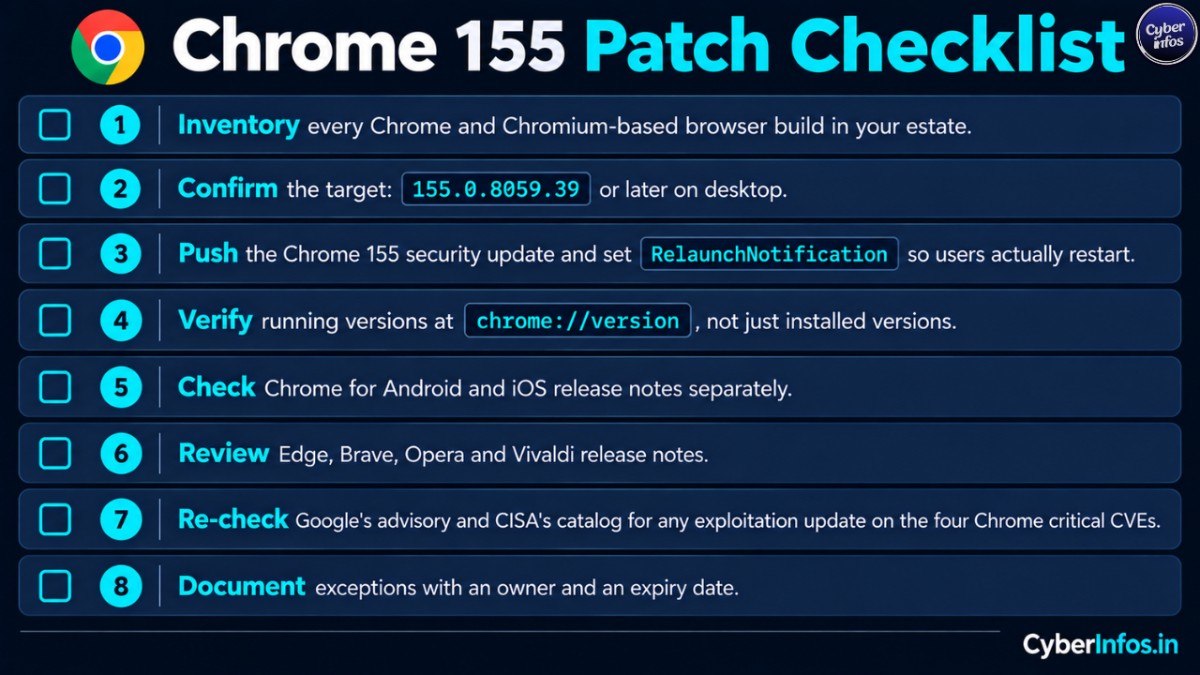
- Inventory every Chrome and Chromium-based browser build in your estate.
- Confirm the target: 155.0.8059.39 or later on desktop.
- Push the Chrome 155 security update and set
RelaunchNotificationso users actually restart. - Verify running versions at
chrome://version, not just installed versions. - Check Chrome for Android and iOS release notes separately.
- Review Edge, Brave, Opera and Vivaldi release notes.
- Re-check Google’s advisory and CISA’s catalog for any exploitation update on the four Chrome critical CVEs.
- Document exceptions with an owner and an expiry date.
FAQ
Are the Chrome 155 vulnerabilities being exploited?
Google’s advisory does not report exploitation, and SecurityWeek says the same. Nothing describes them as zero-days. That status can change, so re-check Google’s post and CISA’s catalog.
Which Chrome version fixes the critical flaws?
Version 155.0.8059.39 or later on Windows, macOS and Linux fixes them. Windows and macOS also have a 155.0.8059.40 build.
What are the Chrome 247 vulnerabilities?
They are the 247 security fixes in Chrome 155: 4 critical, 53 high, and 190 medium or low. There is no Chrome version 247.
Do Edge and Brave need updating too?
They are Chromium-based and ship their own builds. Google’s post does not say which downstream browsers are affected, so check each vendor’s release notes.
Do I need to restart Chrome after updating?
Yes. The fix applies only after the browser relaunches. Chrome normally restores open tabs afterwards.
Final thoughts
Chrome 155 is a large security release with no known exploit. Patch desktop endpoints to 155.0.8059.39 or later, confirm the running version, and track mobile and Chromium-based browsers separately. Treat this Google Chrome security patch as a live test of your browser patch process, because the next one may include a bug that is already being exploited.
